Release
October 21, 2026
Websites: data pages, navigation and faster media
Lists with filters and Load more on any page, a page for every record at its own address, article topics, and media that caches.
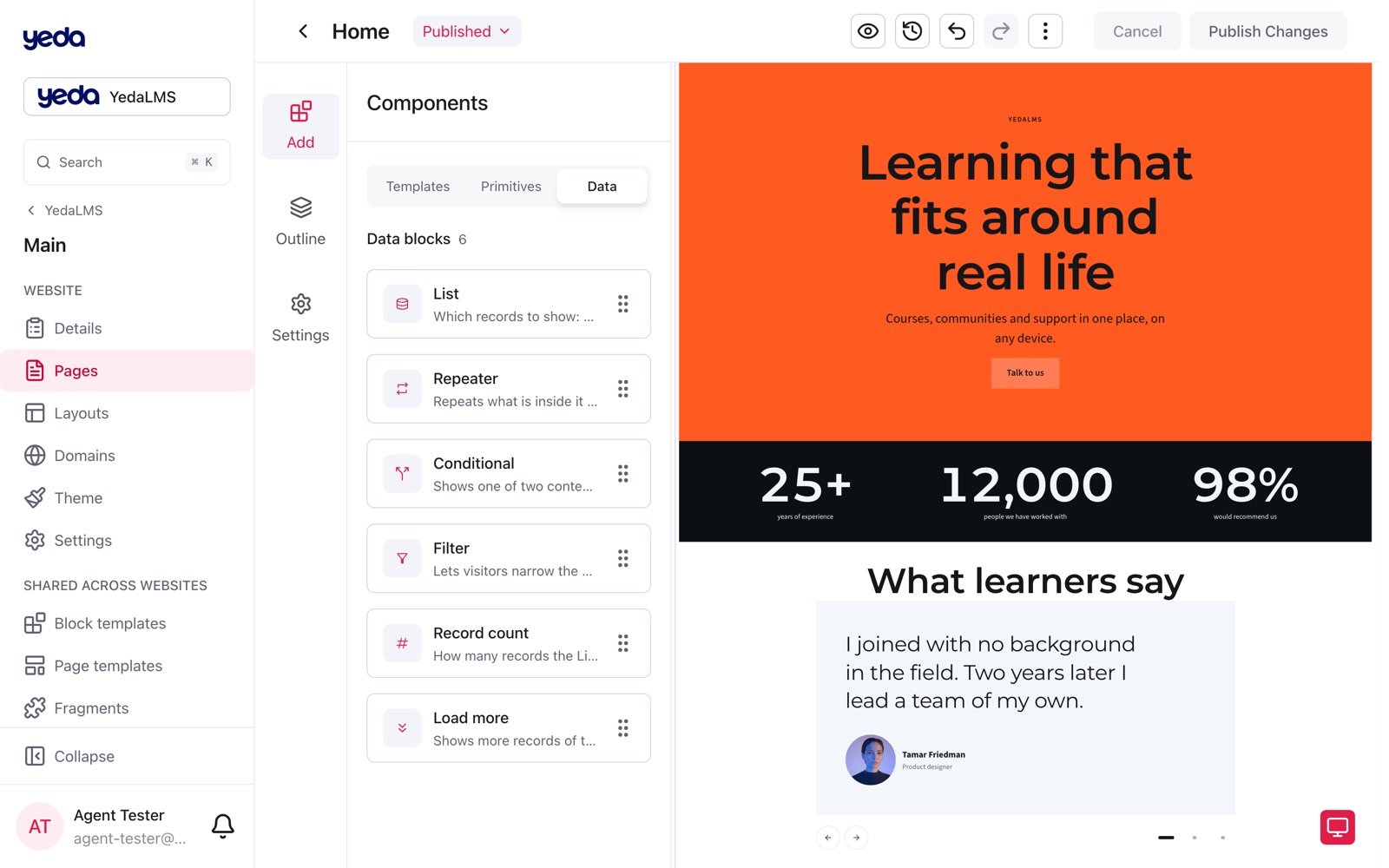
Website pages can now show records, not only text: a List of articles with filters and Load more, a Repeater that draws a card per record, and a page for every record. Around them, the website got its own navigation level and media that caches.
Lists on pages
A List block reads a source, such as the organization's published articles, and repeats a card for every record. Its settings offer the source, Show only conditions written as rows (field, operator, value: text contains, dates between, tags include any, is empty…), the order and how many records show at once. On the canvas a List has a tinted frame and a caption with the record count.
Inside a List, visitors get their own controls: a Filter block (chips, a select, checkboxes, a switch or a search box), a Record count ("12 articles") and Load more. A filtered view can be shared by link and works without JavaScript.
A Repeater draws one card per record inside a Grid or a Stack, and inside a Carousel it makes one slide per record. Only the first card is edited; the others are previews filled with real records.
Record pages
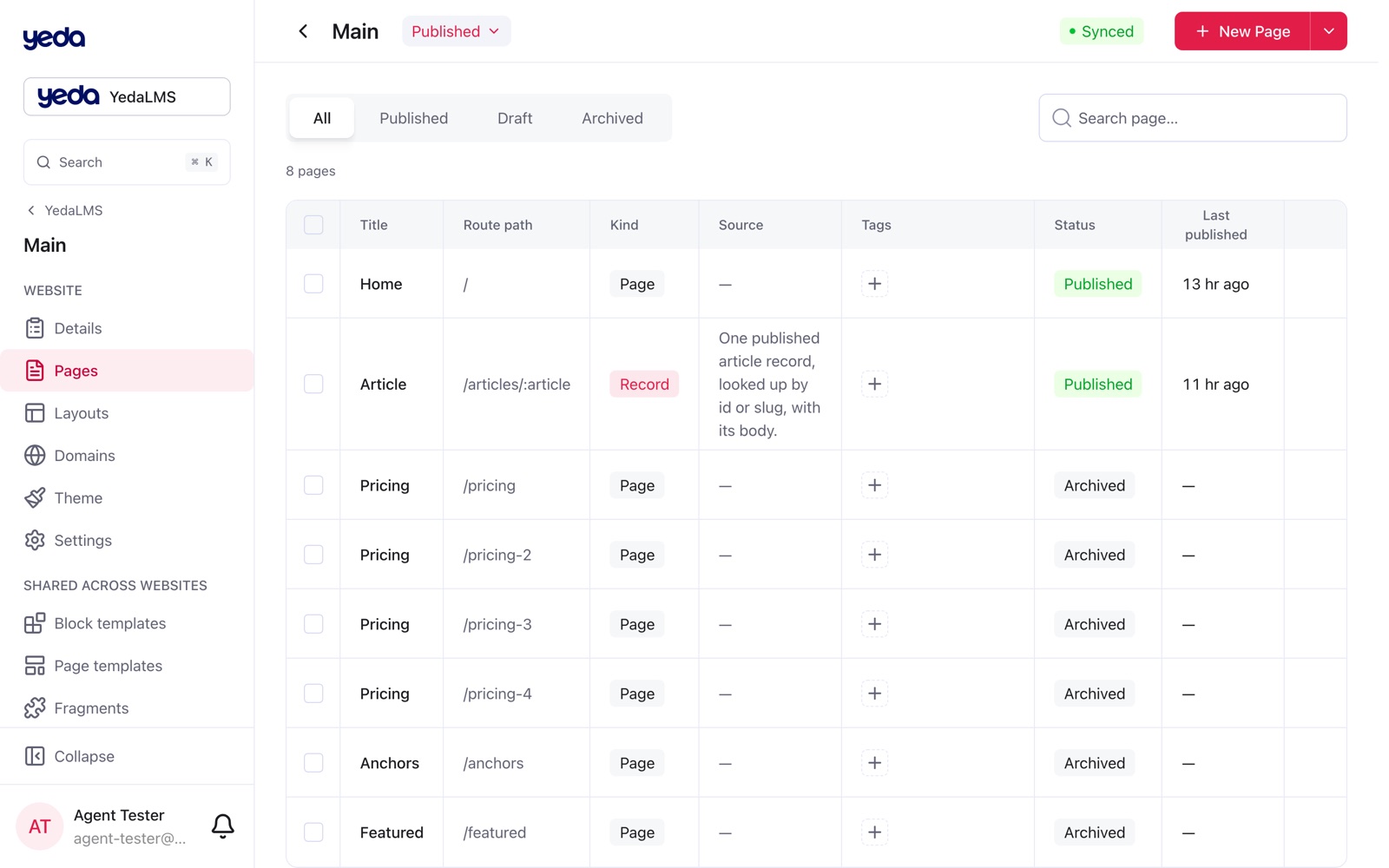
A record page such as /articles/[slug] shows one record found by its address. Its Data settings hold the source, a Show only filter, the address pattern (route conflicts are shown right under it) and a record to preview with. Each record opens on the published record page whose filter admits it, so students and teachers from one source can open on different pages.
The new Record content block draws an article's body with its cover and images on the record page. Search & sharing on a record page can read the record: {{record.title}} and other fields in the SEO title, description and share image, and the canonical address is the record's own.
Collection pages are retired: existing ones were converted into ordinary pages with a List plus a paired record page. Articles can be tagged with topics (News, Announcement, Event, Research, Community, Learning), and dates on sites follow the visitor's own date order and time zone.
A navigation level per website
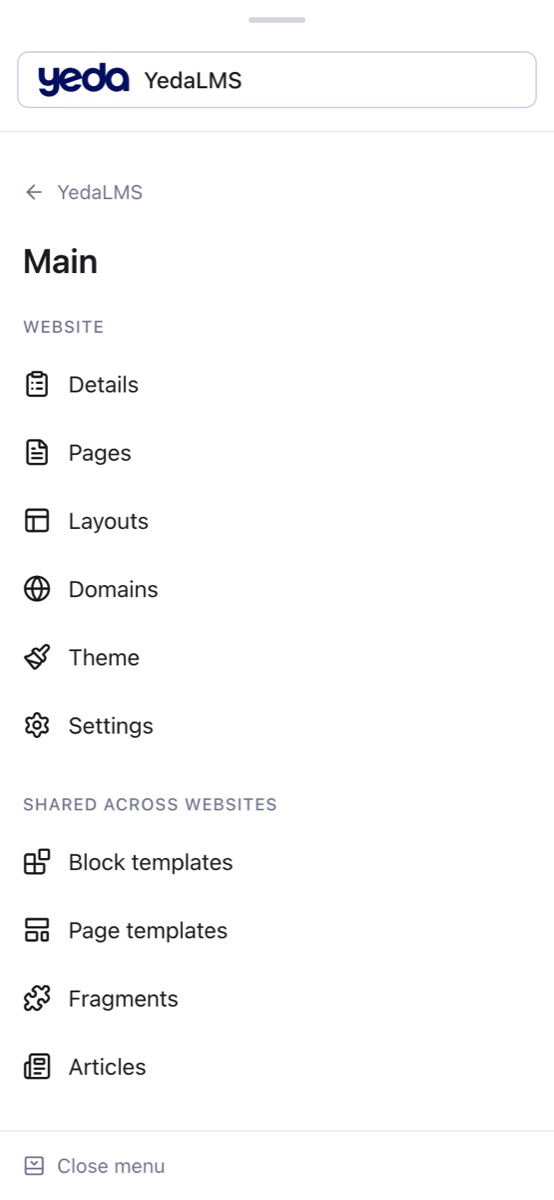
Selecting a website opens its own level in the organization and operator platforms: Details, Pages, Layouts, Domains, Theme and Settings, with page templates and block templates under Shared across websites. The New page dialog offers starters (Articles, Article) and creates the paired record page for you.
The phone menu was rebuilt around the same levels, with a way back and search that lists the sections you may open.
Media that caches
Public website media is served under versioned addresses, so a file can be cached as immutable while its latest version is still found within minutes; private files are never cached, and range requests let video players seek. Lists in fragments, articles and templates now offer the organization's sources too.