Release
October 22, 2026
The block editor, round two
One Add panel, settings per device only where needed, blocks that read data, audiences on every block, and saves never blocked by publishing.
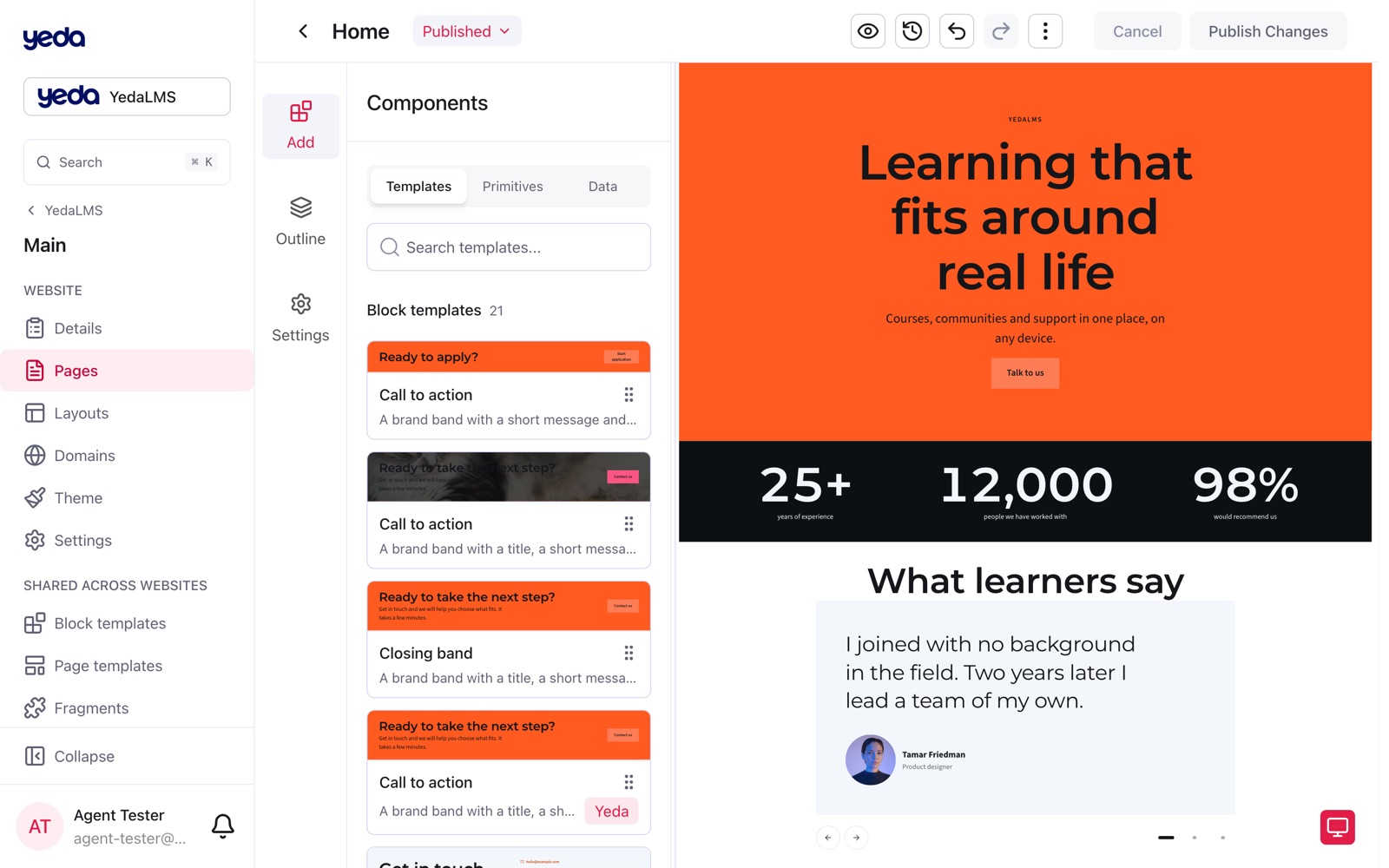
The page editor got its second big round: how blocks are found and added, how a setting is edited for phones and desktops, what a saved block can do with data, and what the editor tells you when something cannot be published yet.
One panel to add anything
The Add panel replaces the Blocks, Primitives and Fragments tabs. Its Templates tab holds block templates, fragments and built-in blocks with search and tag chips; Primitives are grouped by category; the Data tab holds List, Repeater, Filter, Record count, Load more, Conditional and Record content. Every card is dragged as a whole, and a tap adds it on a phone.
The inspector has three tabs, Content, Style and Access, and keeps the selected tab while you move between blocks. On phones the canvas and the panels each get the full screen in the Mobile view tab.
One value for every device
By default a setting has one value for every device. A device button on the setting opens Mobile, Tablet and Desktop tabs and the canvas switches to match, so you set a different value only where a device needs one. Real controls replace the old text boxes: spacing as None, XS to 3XL, Gutter or a custom pixel value; grid columns as 1 to 6 or proportions such as 1 : 2; padding as one value or each side.
Blocks that read data
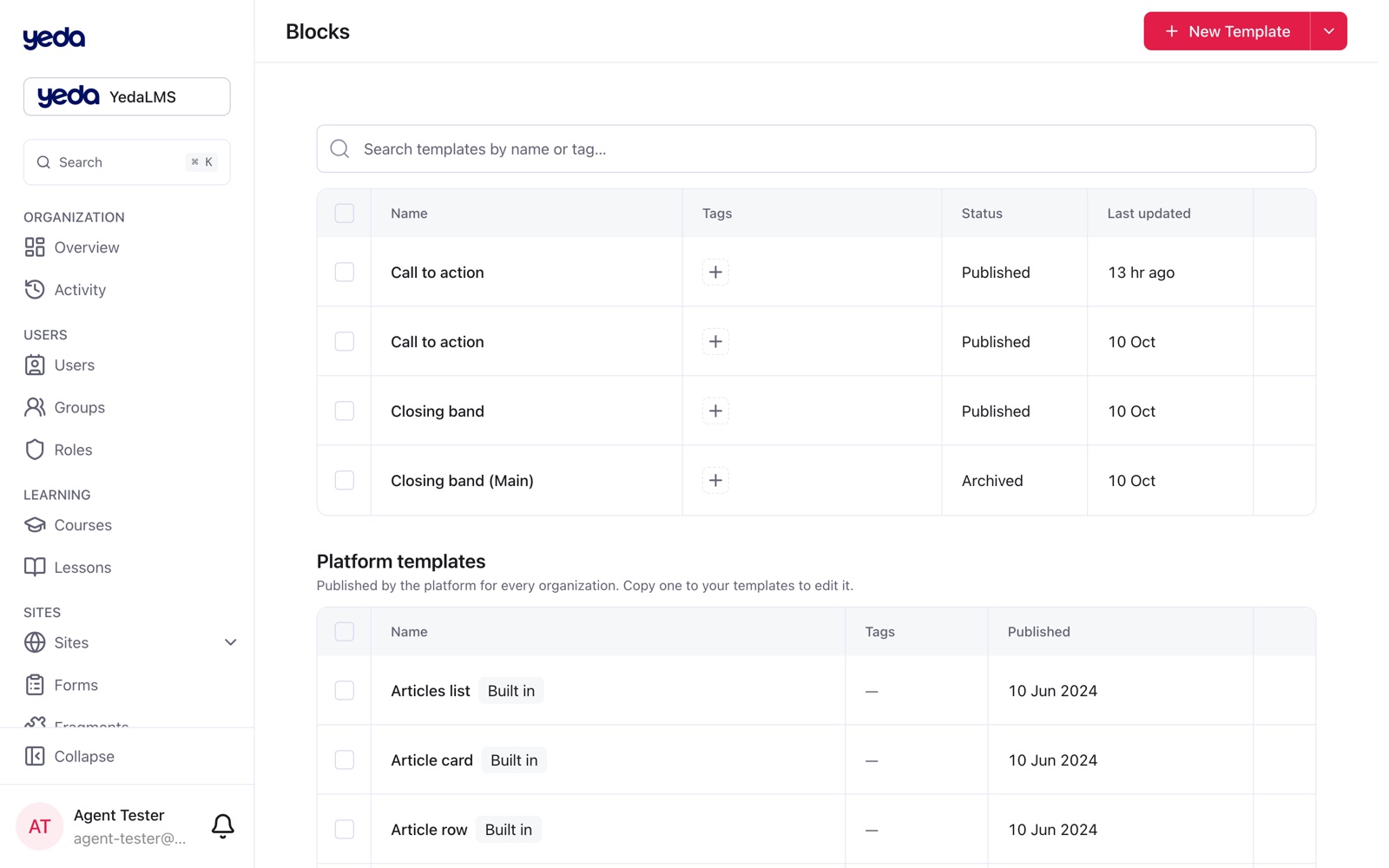
Three blocks ship built in: Article card, Article row and Articles list, a starter made of a section, topic chips, a count, a grid of cards and Load more. They appear as Built in in the organization's Platform templates and can be copied into your own.
A block's variables can hold a fixed value or read a field of the data in reach; placed inside a Repeater, a block links its variables to matching record fields by itself. Variables use the real control of the setting they expose (a background shows as a whole background with tone, gradient, image or video), a placed block of your own opens for editing in a side panel, and page templates now include record page templates.
Show to: audiences on every block
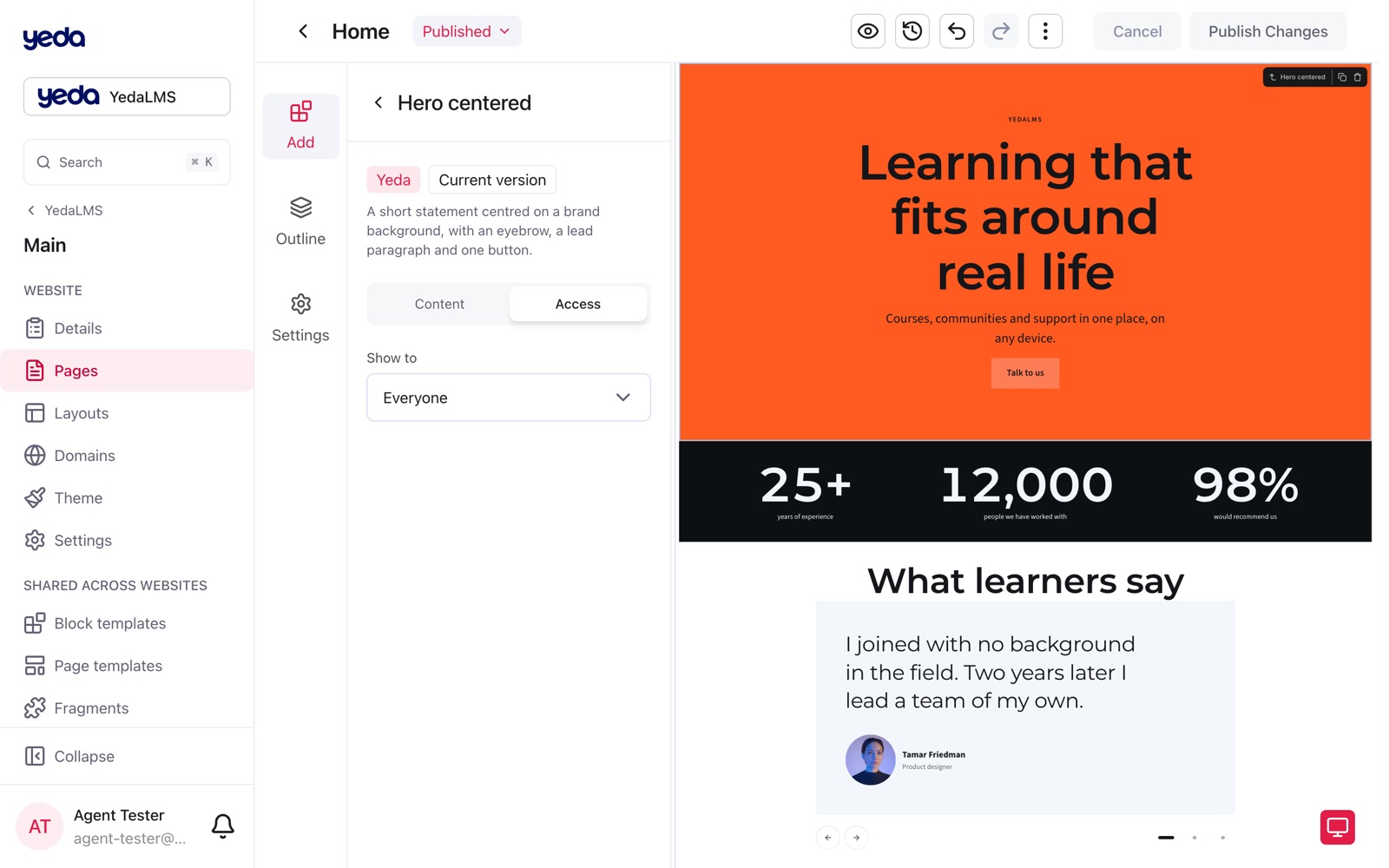
Every block, placed fragment and saved block has Show to: everyone, signed-in visitors, guests or chosen groups. The site removes what a visitor may not see on the server, and View as in the editor shows the page as that visitor, hidden fragments included.
Saved, not published
Problems that only matter for publishing no longer block a draft save. A refused publish shows Saved, not published with one sentence per problem, the block's name, Show to select it and Retry. Alt text and labels are optional (empty alt text marks an image decorative); the fields that are still required are marked and named in the error.
The link picker offers section anchors of the page, route conflicts show in the Route section, the eye button saves and opens the real site in a new tab (the article editor lists every page that will show the article), and publishing no longer blocks the editor.