Release
October 20, 2026
Notifications and email, rebuilt
Emails in your layout and theme, a block builder for every email, clear rules for who receives what, unsubscribe links and live delivery.
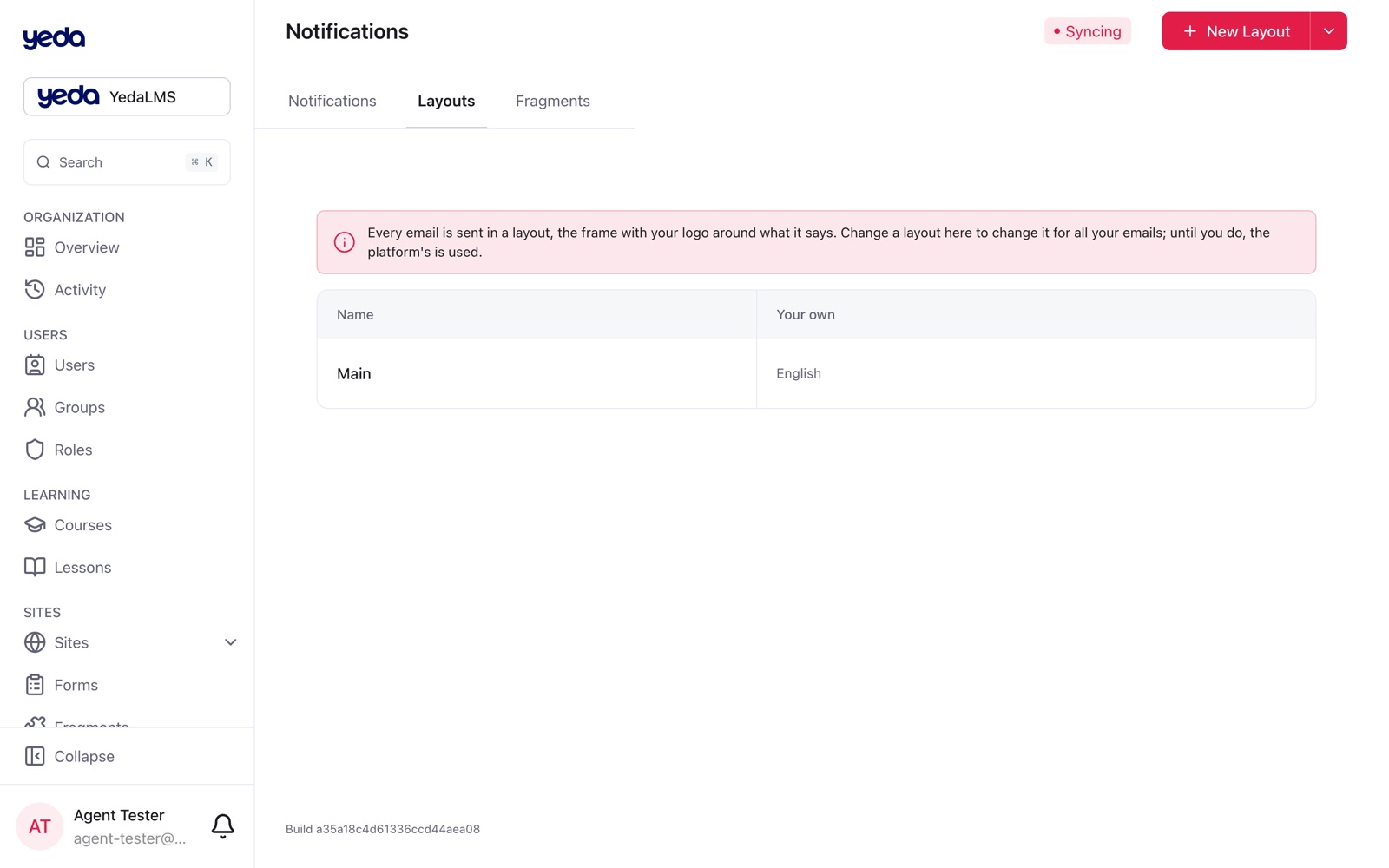
This release rebuilt the whole path of a notification: how an email is built, how it looks in the inbox of the person who receives it, who decides whether it is sent, and what you see when it is not delivered.
Emails in your layout and theme
Every notification email is sent inside a layout: a header with the organization's logo and name, the message, and a footer that says why the email came, links to the person's notification settings and shows the organization's contacts (postal address, support email, website, from the Details page).
Open Notifications → Layouts to see the layouts per language, preview one around a sample email, and customize it or keep the platform's. Publishing your own layout re-frames all of the organization's emails at once. Emails are drawn in the organization's default theme, with themed buttons, large codes in a quiet box and a preheader on every built-in email.
A builder for every email
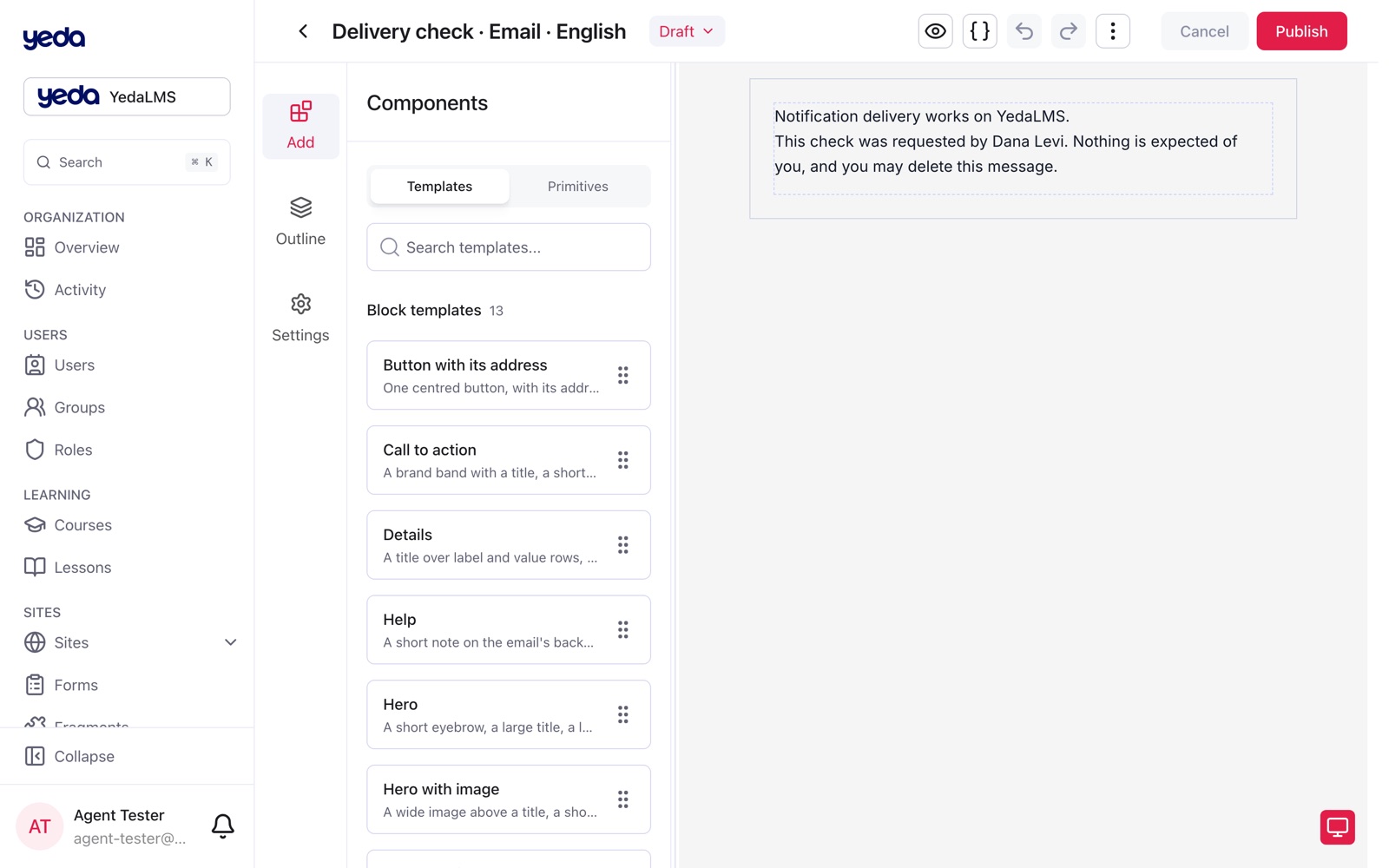
Notification emails, layouts and blocks are now built from the same primitives as website pages: Section, Heading, Text, Action, Media, Divider, Spacer, List and Columns. The Blocks tab offers thirteen ready Yeda email blocks; an organization can save its own blocks with variables and place them with Update or Detach, as on pages, and keep reusable fragments beside the notifications.
The editor lists the available variables and shows their real values on the canvas ({{brandName}} becomes your name) while the draft keeps the placeholder. Links into the platform use {{appUrl}}, text supports bold, italic, underline and links, and a broken placeholder is reported as a draft issue instead of a failed send. Where no template exists, the built-in text is sent, and it can be customized from the Built-in text card. Account emails show a button instead of a raw link, and role emails end with Open organization.
Who receives what
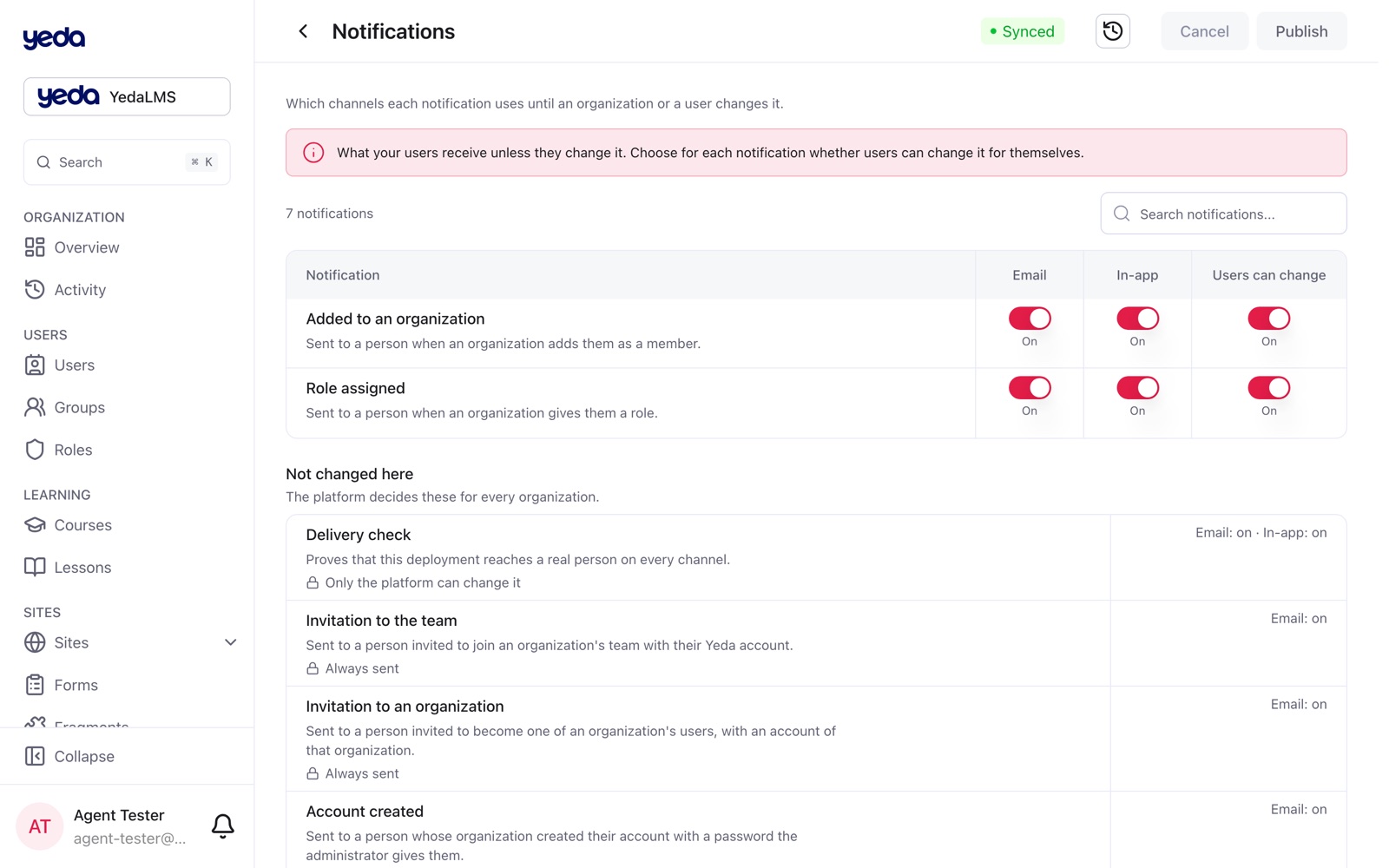
Sign-in codes, invitations and account emails are mandatory: no level can turn them off, and the settings pages list them separately and say why. For every other notification the organization decides whether its people may change it, within what the platform allows; a choice a level may not make is refused on publish.
The settings pages use switches instead of "inherit" selects, with names and descriptions in the reader's language. A person's own choices apply immediately. Emails about notifications a member may change carry an unsubscribe link, and mail apps' one-click unsubscribe works: it opens a page in the organization's look and turns off that notification, or every optional one.
Delivery you can see
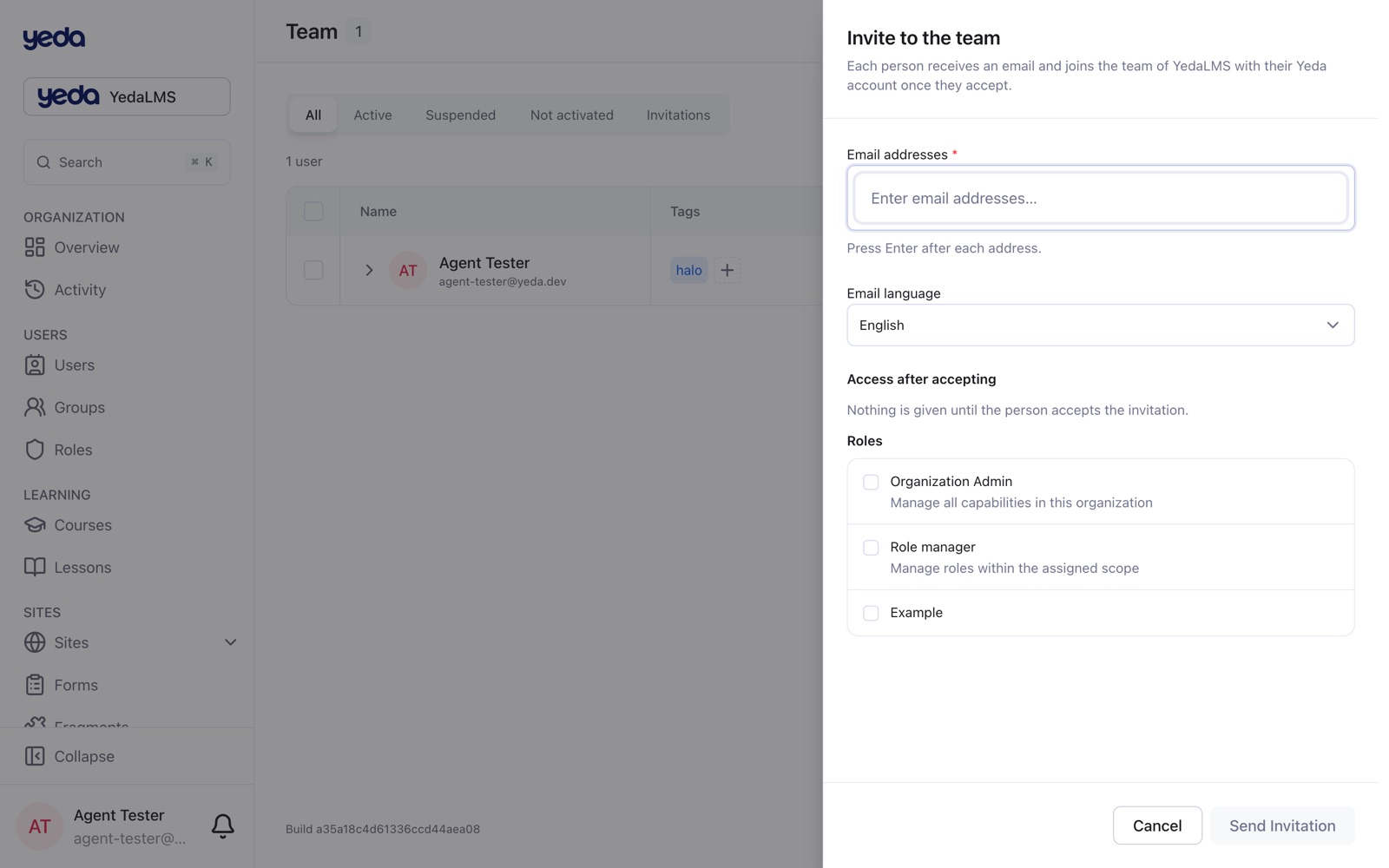
Email stops to an address the mail provider reports as undeliverable (a hard bounce, a complaint, an unsubscribe) and is never retried; each delivery's status (submitted, delivered, failed, skipped) updates live, for example in the invitations table. A person whose address cannot be reached sees it marked on their account page, with the provider's reason and a request for another address.
Notification templates are no longer archived, only unpublished, and the notification screens open instantly on a revisit.
The inbox on the phone
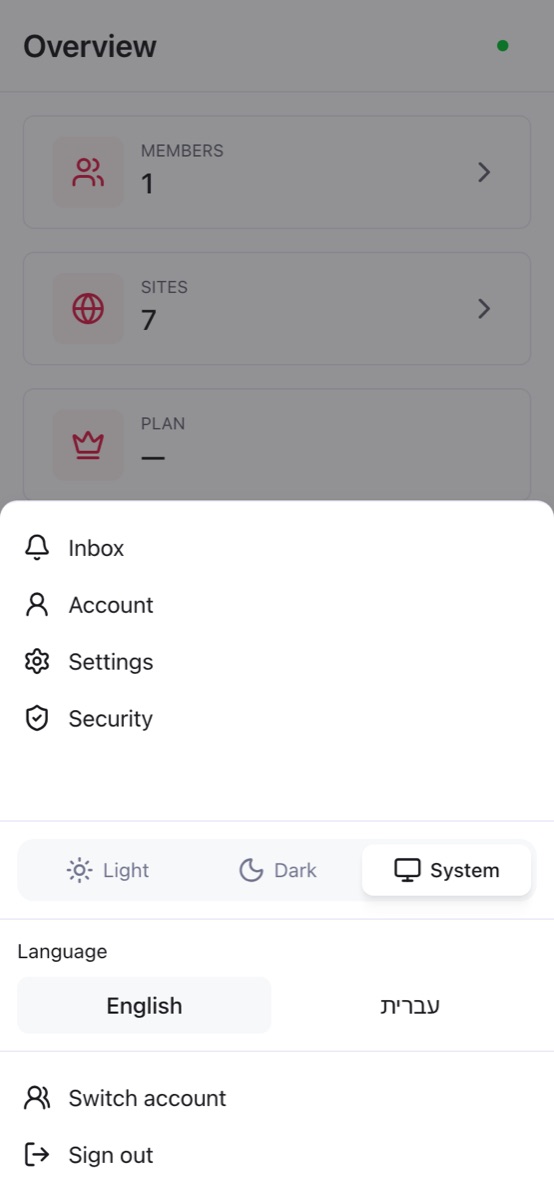
The bell opens each person's inbox, and on a phone the profile sheet now starts with Inbox and its unread count, with the count on the avatar in the bottom bar. In the templates list, the in-app card no longer claims a layout it does not have.